Your media,
played well.
Reflux is a media player for the films and shows you already have, wherever they live: on your device, on a Jellyfin or Plex server, or on a network share. It finds them, understands them, and plays the best copy for the screen in front of you.
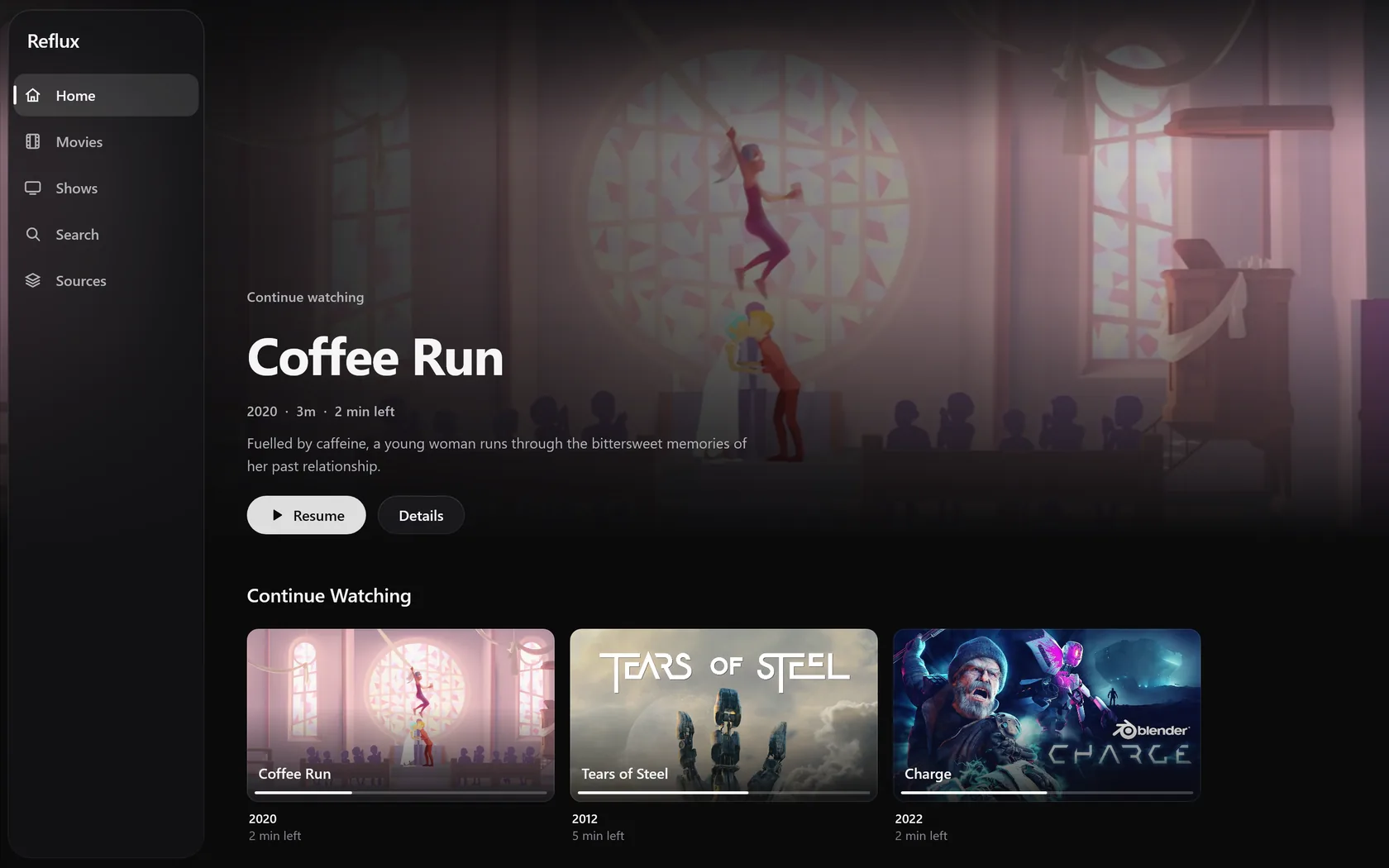
How it works
From a folder to Play, with nothing to set up.
Point it at a folder
A normal folder of films and shows is enough. No renaming, no .nfo files, no account.
It understands what is there
Films, shows, seasons, and episodes from ordinary file names, with every copy of the same work brought together.
It builds a library
Descriptions and artwork from your servers and your files, and a designed look for anything without them.
You press Play
Reflux picks the copy this screen plays best, starts where you stopped, and can tell you why.
One library
Every copy of a film is one film.
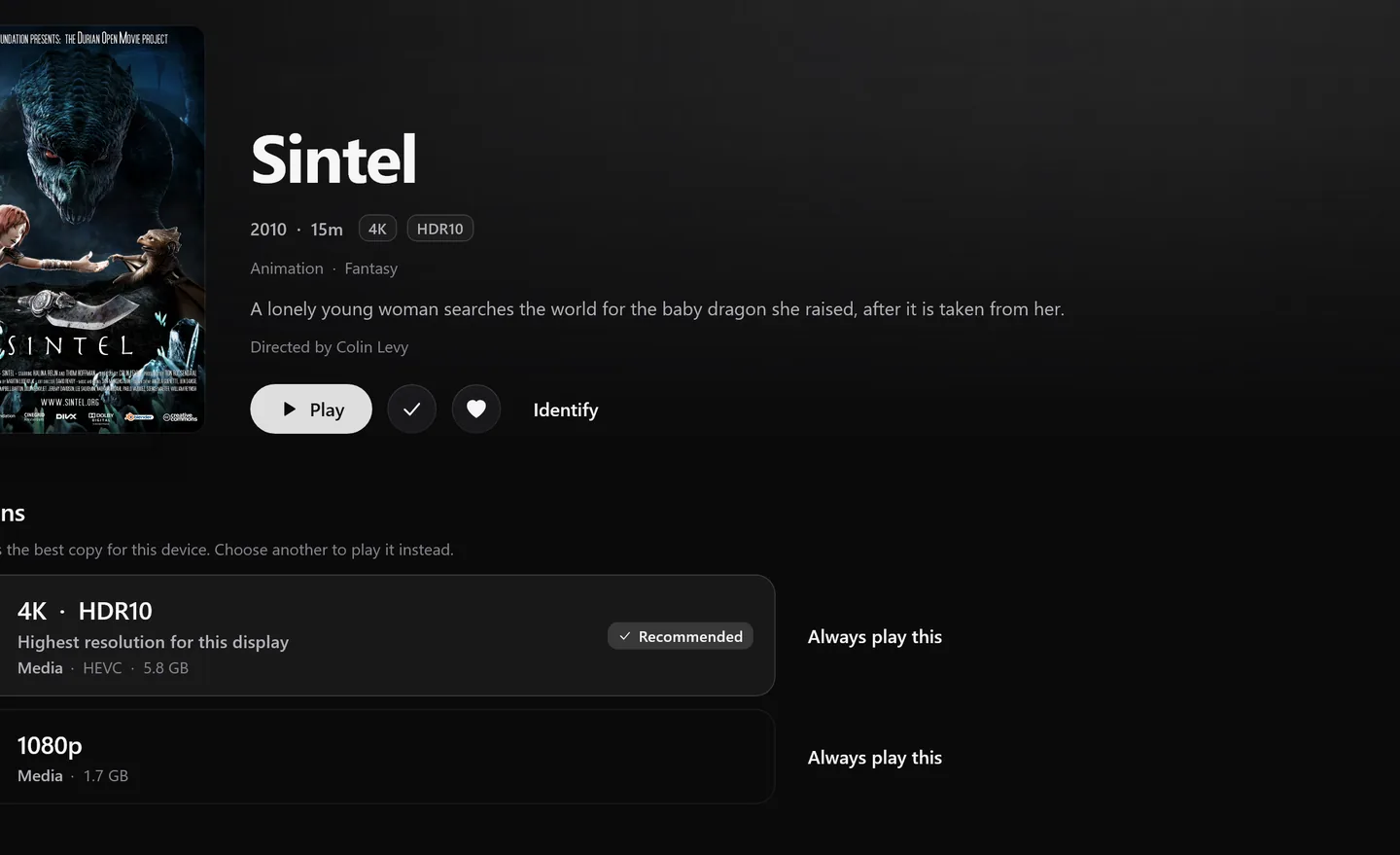
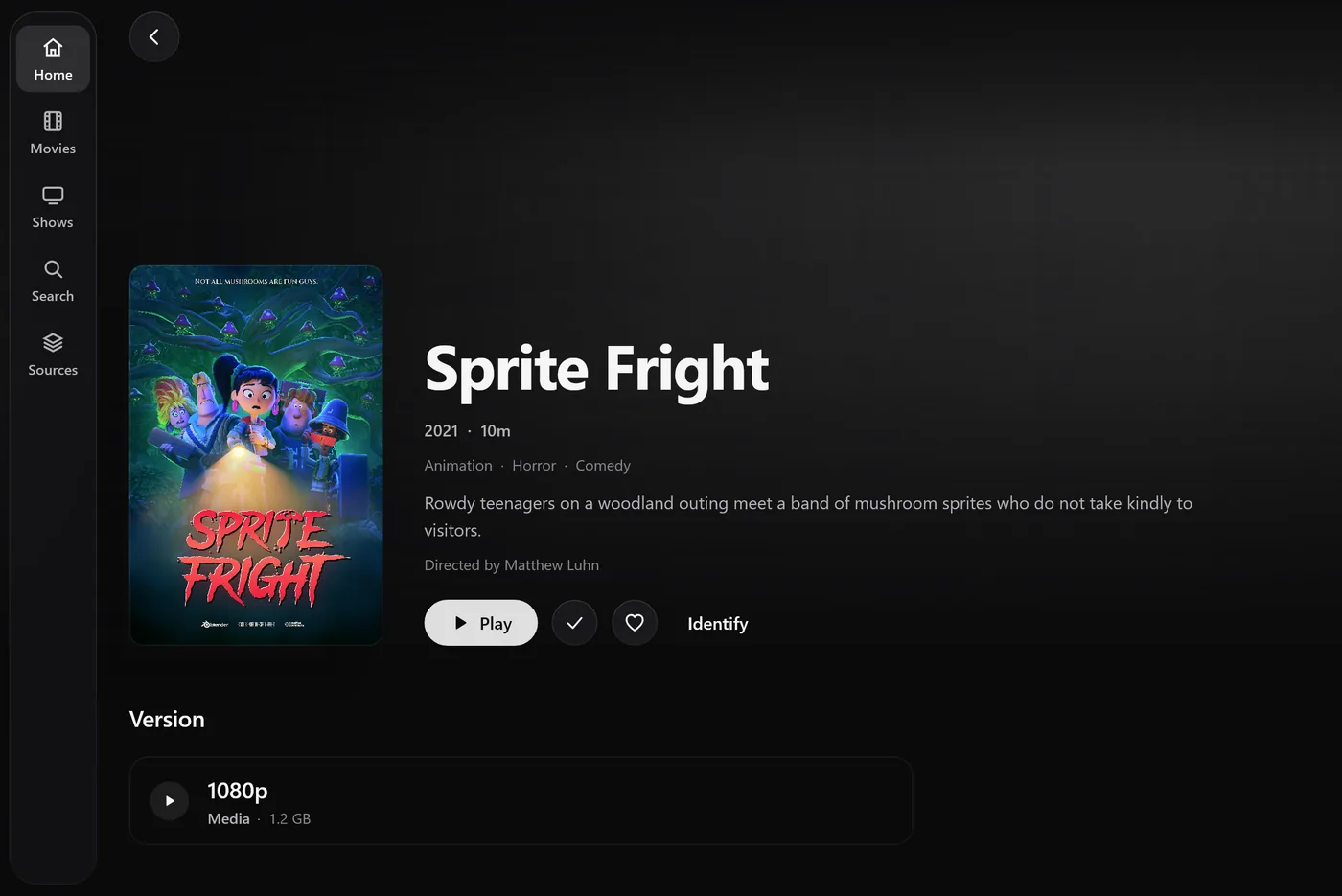
A film on your laptop, the same film in 4K on your server, and a copy you kept for a flight are one work in Reflux, with one place you left off. Play chooses the copy this device plays best, and the page shows every version with the one it recommends and why.
- Resume from any copy of the same cut
- Pin the version Play should always use
- Different cuts are never mixed up

Every screen
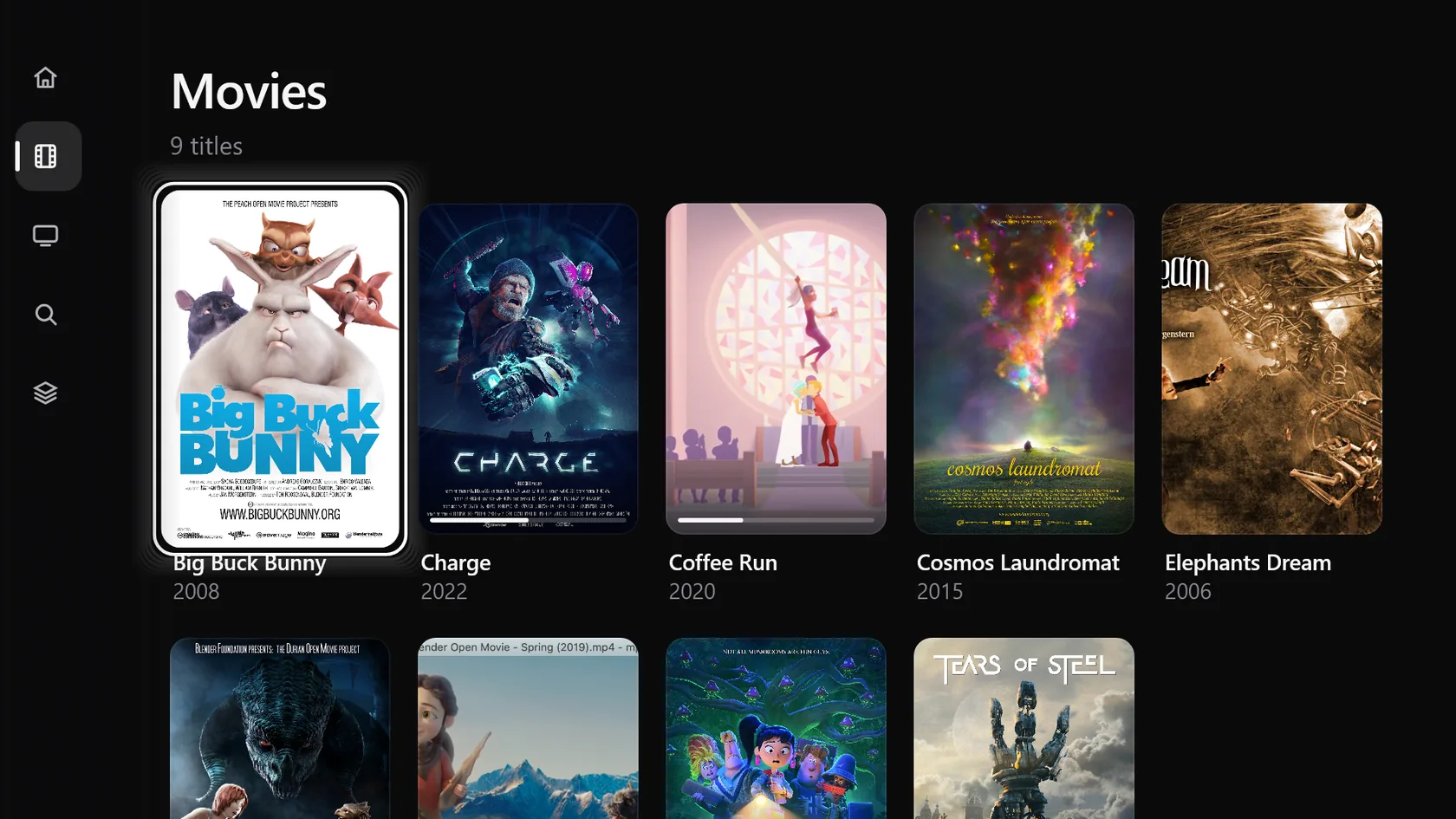
Built for the remote, the touchscreen, and the keyboard alike.
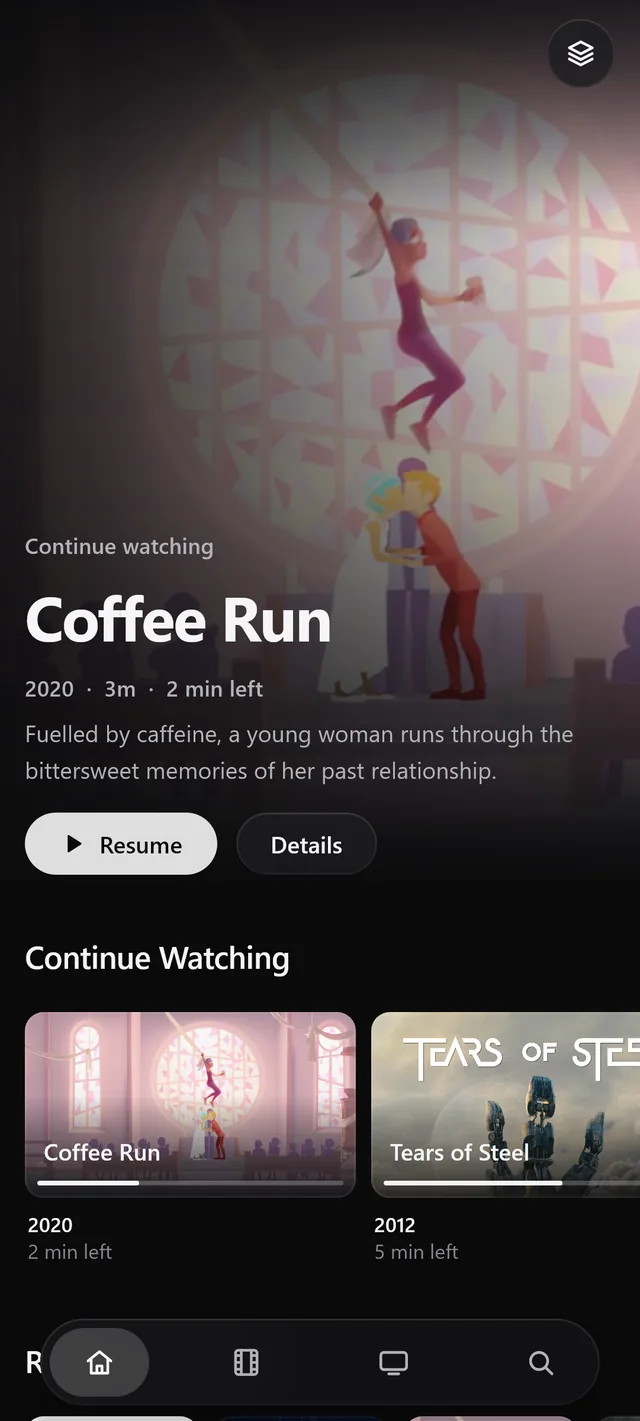
One Reflux on every device, laid out for each: a rail you reach with Left on a TV remote, a bar under your thumb on a phone, a sidebar on a desktop. Remotes, game controllers, keyboards, and screen readers are all part of the design.
Playback
The original, whenever it can be.
Reflux knows what this device decodes, and plays your file as it is whenever it can. When it cannot, it asks your server to change only the part that needs it: the sound, not the picture, if the sound is the problem. The player's Info list says how something is playing and why.
- Video
- H.264, HEVC, AV1, VP9, in hardware where the device has it
- Sound
- AAC, AC-3, E-AC-3, DTS, TrueHD, Opus, decoded where the device can
- Subtitles
- Text and image subtitles, in the file or beside it
- HDR
- Read from every file, and stated honestly per device
Sources
Wherever your media lives.
Folders
On your computer, phone, tablet, or TV, and the drives plugged into it.
Jellyfin
Libraries, direct streams, and your progress kept in step both ways.
Plex
Sign in with your Plex account, a token, or nothing on a trusted network.
Windows and NAS shares
SMB shares, read-only, streamed without copying.
Web shares
WebDAV: a NAS, Nextcloud, or any web server that serves files.
Private by design
No account. Nothing sent to us.
Reflux has no account, no analytics, no advertising, and no tracking. Your library, your progress, and your downloads stay on your device; your servers see only what you play from them. When a source is away, the library stays, and anything you kept for offline still plays.
Platforms
- Android phones and tabletsGoogle Play
- Android TV and Google TVGoogle Play
- Fire TVAmazon Appstore
- WindowsDownload
- LinuxDownload
Reflux is free.
No subscription, no paid tier, no ads. The beta opens soon on every platform above.